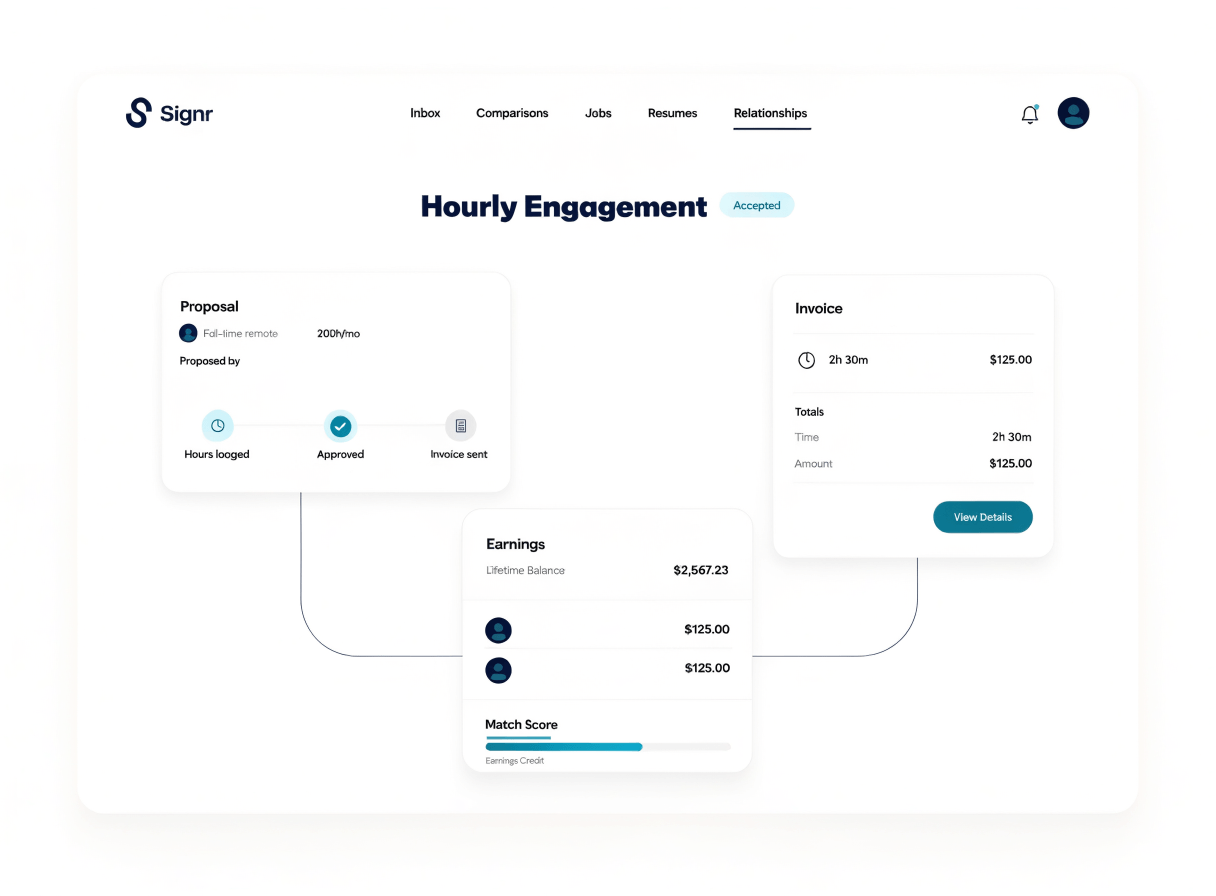
Propose, log, and settle hourly work.

Turn a trusted connection into hourly work, with proposals, hours, invoices, and earnings credit in one flow.

Signr hourly engagement dashboard showing proposals, logged hours, and invoice status

Replace loose hourly work with clear steps.

Propose the work

Set the hourly scope before anyone starts tracking time.

Log each hour

Record time against the engagement so work stays tied to the agreement.

Send the invoice

Turn logged hours into an invoice inside the same flow.

Credit earnings

See engagement credit move into your earnings balance.

Propose the work before hours start.

Get agreement on scope and rate first, so every logged hour points back to the same plan.

  1. Pick the person tied to the work.
  2. Describe the hourly scope and rate.
  3. Send the engagement proposal for review.
  4. Get approval before tracking time.
  5. Begin logging hours against the accepted engagement.
Signr hourly engagement proposal screen showing scope, rate, and status

Organize every hour from one record.

After approval, each logged hour stays tied to the engagement, invoice, and earnings credit, so you can trace work from agreement to balance.

  • Log hours against the approved engagement.
  • Keep invoice details tied to the same work record.
  • See earnings credit after the invoice is settled.
  • Review scope, time, and status without chasing notes.
Signr hourly engagement record showing logged hours, invoice context, and earnings credit status

Track settled work as earnings.

After settlement, Signr keeps the engagement credit in your balance, then lets you request a payout a specialist completes directly.

  • Invoice credits stay tied to the engagement.
  • Your earnings page shows actions and balance in one place.
  • Add a payout method before you request a transfer.
  • A Signr specialist completes the payout directly.

Review common questions

Start hourly work cleanly.

Stop chasing scattered notes; propose, log, invoice, and credit earnings in one Signr flow.